分类
<!--弹出时间表格封装样式-->
<link rel="stylesheet" type="text/css" href="css/global.css" />

<!--页面布局样式-->
<style type="text/css">
.input_control {
	width: 100%;
	margin: 20px auto;
}

.fill_date_item {
	text-align: center;
	width: 100%;
	margin-top: 50px;
}

.fill_date_item input {
	display: inline-block;
}

input[type="text"] {
	box-sizing: border-box;
	text-align: center;
	height: 2.7em;
	border-radius: 4px;
	border: 1px solid #c8cccf;
	color: #6a6f77;
	-web-kit-appearance: none;
	-moz-appearance: none;
	outline: 0;
	padding: 0 1em;
	text-decoration: none;
}

input[type="text"]:focus {
	border: 1px solid #ff7496;
}

.am-btn:active:focus,
.am-btn:focus {
	outline: 0;
	outline: 0;
	outline-offset: -2px
}

.login-area .am-g {
	padding: 0 0.667rem
}

.am-list>li {
	border-bottom: 1px solid #e6e9eb;
}

.am-list>li:last-child {
	border-bottom: 0
}

.am-list>li>a {
	padding: .4rem 0;
}

.am-list>li a {
	font-size: 16px
}

[data-dpr="2"] .am-list>li a {
	font-size: 32px
}

[data-dpr="3"] .am-list>li a {
	font-size: 48px
}

.am-list>li:first-child {
	border: none
}

.am-list,
.am-topbar {
	margin-bottom: 0
}

.edition-number {
	color: #666;
	line-height: .8rem;
	margin-bottom: .3rem;
	display: block
}

.am-btn-danger {
	background: #f0f3f5;
	color: #c47269;
	border: none
}

.am-btn-green {
	background: #36bc9b;
	color: #fff
}

.am-btn-green:active,
.am-btn-green:focus {
	color: #fff
}

.login-area .am-btn:focus,
.login-area .am-btn:hover {
	color: #fff
}

.am-panel {
	margin-bottom: 0
}

.am-panel-hd {
	padding: 0 2.666%;
	border: none
}

.am-panel-bd {
	padding: 0 0 0 2.666%;
	border: none
}
</style>
<script src="js/jquery.min.js" type="text/javascript" ></script>
<!--本实例,默认参数通过url末尾数值传递“?type=33   ?type=34  ?type=35 ” 自行选择修改-->

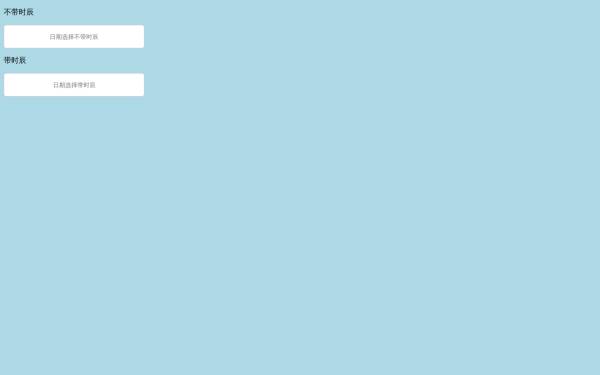
<div class="fill_date_item" id="doc-select-1">
	<input type="text" placeholder="请选择开始时间" id="fill_infomation_date_start1" readonly="">
</div>

<p></p>

<div class="mask-time" style="display:none"></div><!--遮罩层-->

<div class="time-area" style="display:none"><!--时间选择表格-->
	<input type="hidden" name="date_" value="">
	<input type="hidden" name="time_">
	<div class="box-date">
		<ul class="promptu-menu2 font13"></ul>
	</div>
	<div class="time-choose-table font13 txt-gray" id="time-choose-table"></div>
	<div class="font11 txt-light-gray txt-small" style="display:none"> 提示:灰色时间不可选择,最长可预约7天内的服务时间。</div>
	<input type="button" value="确定选择" class="am-btn btn-default am-btn-green mt-line btn-choose-time" style='width:94.668%;margin-top:0px'>
</div>


<script src="js/jquery.promptu-menu.js" type="text/javascript"></script>

<script type="text/javascript">
$(function() {
	var type = 1;

	if (type == 1) {
		var type_ = 'hour';
		var length_ = 1;
	} else {
		if (type == 2 || type == 3) {
			var type_ = 'hour';
		} else {
			var type_ = 'halfHour';
		}
		var length_ = 3;
	}

	var nowDateArray = getNowFormatDate().split(' ');
	var date_ = nowDateArray[0];
	//var type_ = 'halfHour';
	t(date_, type_, length_);
	$('.mask-time').height($(window).height());


	$('#doc-select-1').click(function() {
		$('.mask-time,.time-area').show();

	});
	if ($('#fill_infomation_date_start1').val() == "请选择开始时间") {
		$('#fill_infomation_date_start1').css('color', '#afb2b2')
	} else {
		$('#fill_infomation_date_start1').css('color', '#333')
	}
	$('.btn-choose-time').click(function() {
		$('#fill_infomation_date_start1').css('color', '#333')
		if (!$('input[name=time_]').val()) {
			return alert('请选择服务时间');
		}
		var textTime = $('input[name=time_]').val().split(':');
		$('#fill_infomation_date_start1').val($('input[name=date_]').val() + ' ' + textTime[0] + ':' + textTime[1]);
		$('input[name=start_time]').val($('input[name=date_]').val() + ' ' + textTime[0] + ':' + textTime[1] + ':00');
		$('.mask-time,.time-area').css("display", "none");
		$('#doc-select-1').attr('value', 2);
	});

});
</script>
修改建议:设置每日的时间段选择,可以在url末尾添加 “?type=33 ?type=34 ?type=35 ”。其它代码不建议修改。
1. 本站所有素材(未指定商用),仅限学习交流。
2. 会员在本站下载的原创商用和VIP素材后,只拥有使用权,著作权归原作者及17素材网所有。
3. 原创商用和VIP素材,未经合法授权,请勿用于商业用途,会员不得以任何形式发布、传播、复制、转售该素材,否则一律封号处理。
4. 本平台织梦模板仅展示和个人非盈利用途,织梦系统商业用途请预先授权。